They are necessary for the proper functioning of our websites and services. See our Cookie Policy.
Education with the Boomstream
Video platform for online education
Run online classes and webinars, publish video lessons and protect your educational content with Boomstream.
Who Boomstream is for
Online schools
Run classes and store course recordings
Hold live broadcasts, publish video lessons and place class recordings in the student account.
What you get:
running online classes
publishing recorded lessons
embedding video into a learning platform
controlling access to materials
Authors and experts
Launch your own educational products
Run lectures, intensives and masterclasses, then use the recordings to sell courses or grow a private community.
What you get:
streams for a paying audience
hosting ready-made video courses
playback on any device
protection of your own content
Educational platforms
Integrate the platform into your digital learning environment
Add the video player to course pages and automate content management with the available integration tools.
What you get:
embedding the player
managing video materials
integration through the API
scaling with your audience
Corporate universities
Build a video archive for employee training
Store training recordings, instructions, onboarding courses and mandatory materials in one corporate environment.
What you get:
internal training broadcasts
a library of recorded materials
role-based access control
viewing analytics
Reviews
We switched to Boomstream to improve the quality of lesson recordings and save on the development and maintenance of our own solution. Overall, the quality of the services provided is satisfactory and meets our needs. We use the video content storage service, its streaming on our platform, and the video player for these streams.
OTUS
Rated 5 out of 5
Boomstream is both a service for conducting daily online lessons and a video hosting platform for us. Stable operation, affordable price, and responsive support. We recommend it for solving tasks related to video content management.
Tilda.school
Rated 5 out of 5
We are developing the 'Hanuman Online' project (https://www.hanuman-online.ru) and have been working with Boomstream for several years. We broadcast yoga classes and seminars to an online audience, and the platform perfectly fits our needs. We appreciate the personalized approach and timely modifications made by Boomstream's team at our request. The technical support is always available and ready to help. We look forward to further development, especially with faster video processing.
Hanuman Online
Rated 5 out of 5
After YouTube demonetization, we started looking for alternative platforms to earn from published materials. Among many platforms we analyzed, Boomstream turned out to be the most suitable. The service offers Full HD quality, a user-friendly interface, affordable file storage, detailed sales analytics, technical support, and a download-blocking feature. Access to live streams can be restricted by an individual or group password, which can be obtained after payment through the built-in payment system. Selling videos with this platform is very convenient. We highly recommend it.
Vadim Lesaev
Rated 5 out of 5
Our plugin helps creators using Tilda to bring any design or effects to life. Boomstream became a great tool for publishing videos on clients' websites through the video constructor and Zero block. All you need to do is upload the video and get an mp4 link without any technical hassle.
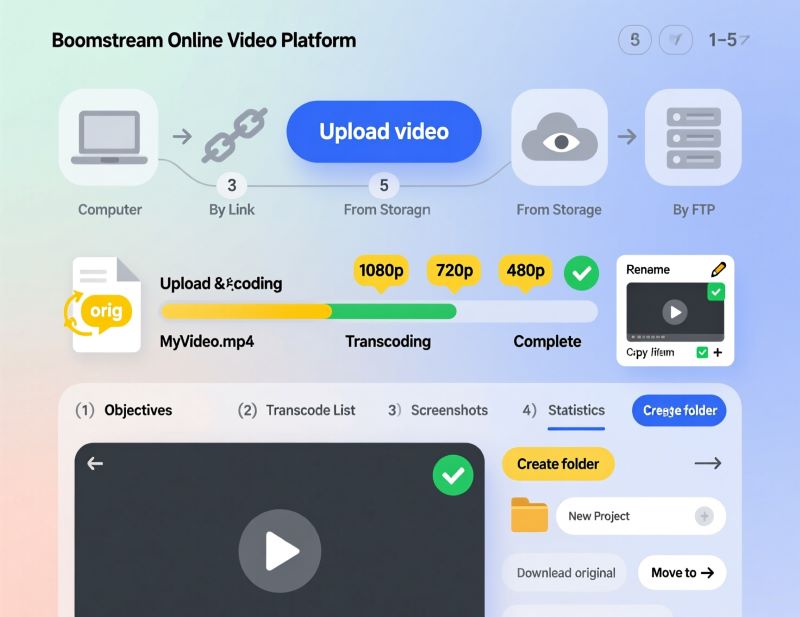
Upload ready-made video materials and place them inside your programme. Students can watch classes whenever it suits them, from a computer or a mobile device.
Upload lessons in any format (MOV, MP4, MKV, AVI) with no size or length limits
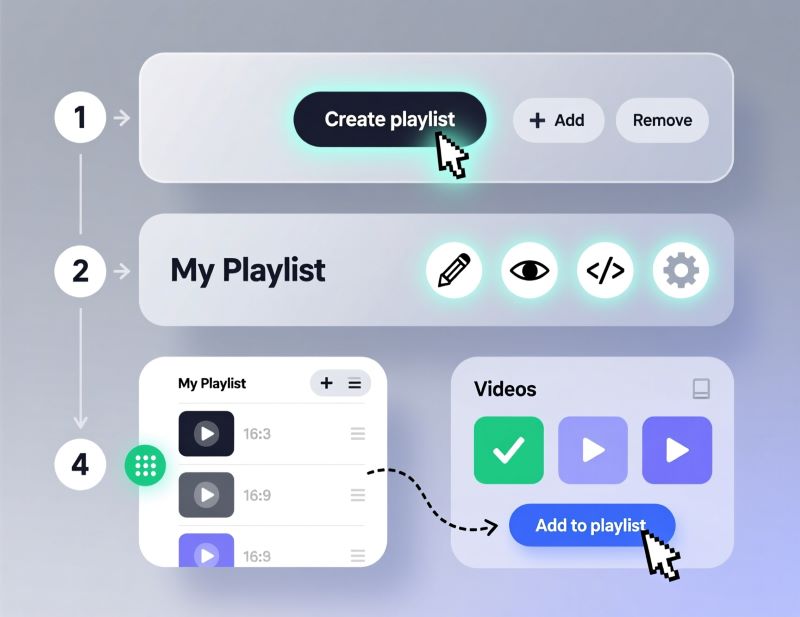
Group recordings into playlists and course modules for easy navigation
Embed the player into GetCourse, Tilda, WordPress or your own LMS
Track the stats: who watched, from which devices and cities
Key features: video hosting, playlists, responsive player, viewing analytics, embed code for an LMS.
Automated webinars and 24/7 streaming from a recording
Run "live broadcasts" from recorded lessons on a schedule - to warm up your audience and drive sales.
The player is indistinguishable from a live broadcast: chat, viewer counter, no seeking
Scheduled launches and continuous 24/7 broadcasting
Chat moderation through a separate link - without signing into the account
Key features: automated webinars, streaming from a file, broadcast schedule.
Streaming from IP cameras
For fitness studios, yoga centres and creative schools: stream classes straight from the room.
Connect an IP camera in your account in a few minutes
Broadcast schedule - streams start and stop automatically
Sell subscriptions and one-off access to classes through the player
Key features: IP cameras, broadcast schedule, monetization.
Live lessons, webinars and masterclasses
Run topical webinars, programme presentations and open classes. Once the broadcast ends, use the recording as standalone material or as part of a course.
Streams in up to 2K with adaptive bitrate - stable on any connection
Moderated chat, polls and questions to the speaker right inside the player
Attendance control and contact collection at class registration
The recording is saved automatically and is immediately available to students or for sale
Key features: live streaming, chat, polls, attendance control, automatic recording.
Paid access to courses, lessons and subscriptions
Sell educational content without your own payment system or development team.
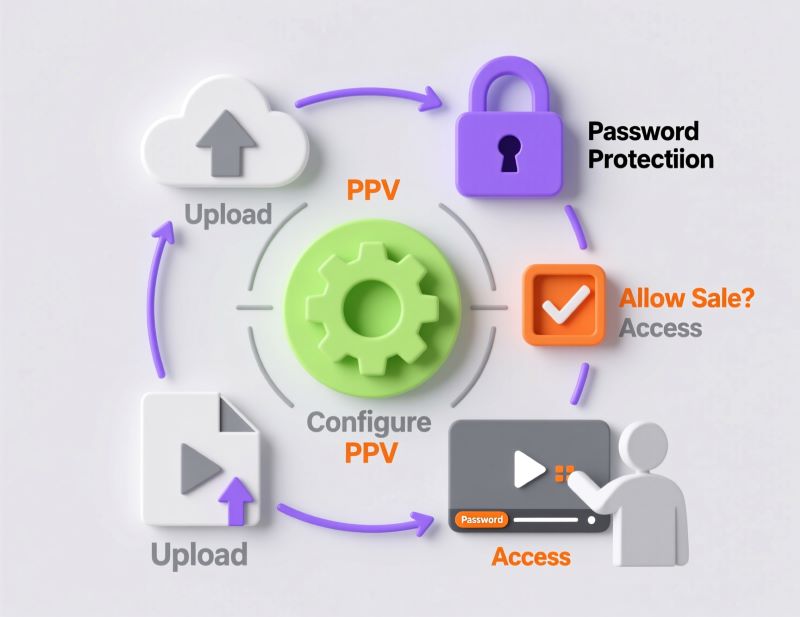
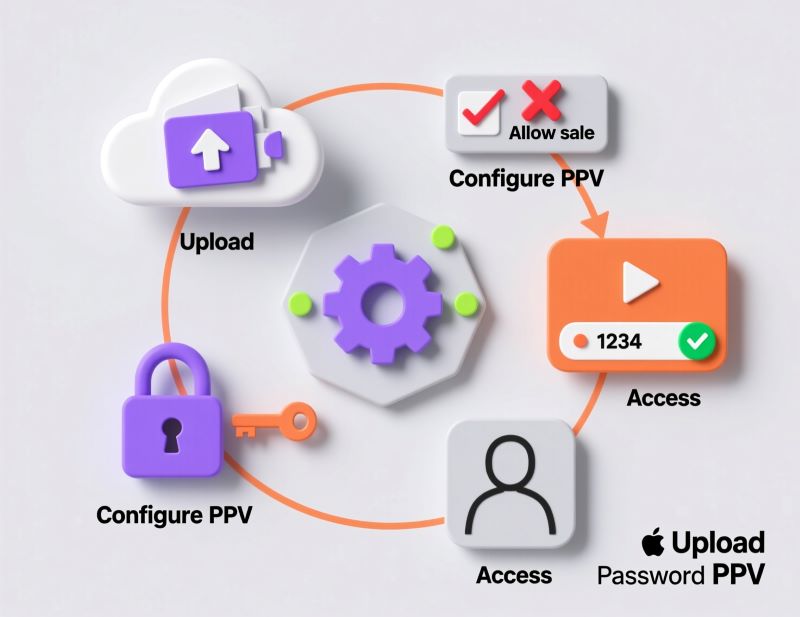
Payment right inside the player: a single lesson, a module or a whole course
Automatic access after payment and online receipts under 54-FZ
Configurable access period and device count per purchase
Connect your own acquiring: YooKassa, Robokassa, TBank, Prodamus
Key features: monetization, pay-per-view, 54-FZ receipts, device and access-period limits.
Private training for employees and partners
Publish instructions, training recordings, onboarding materials and mandatory programmes. Embed video into a corporate portal or an internal learning system.
Access by password, IP address and company domain
Personal watermarks carrying employee details - against screen recording
Attendance control and statistics for reporting, including CME programmes
Key features: password access, IP and domain protection, attendance control, statistics.
How to set up a video platform for your online school in 4 steps
01
Create an account
Sign up for Boomstream and get access to the tools for working with video and online lessons.
02
Add a video
Upload a recorded lesson or create a stream for a webinar, a lecture or an online class.
03
Set up playback
Choose the player settings and the available protection options. If needed, restrict playback to your own educational platform.
04
Embed the player
Place the video on your site, in the student account, an LMS or a corporate portal using the embed code or the API. Or send the student a direct link to the lesson.
Frequently asked questions about the video platform for online education
What is video hosting for an online school and why do you need it?
Boomstream is a professional platform for storing, protecting and delivering video. Unlike YouTube, you keep full control of your content: embed the player into your own site or LMS, protect lessons from downloading, sell access and get detailed viewing analytics with no third-party ads.
How do I protect video lessons from being downloaded?
Boomstream uses layered protection: DRM encryption of the video stream (the file cannot be pulled by downloader tools), dynamic watermarks carrying the student's name and email (they help trace a leak from a screen recording), playback binding to the school's domain, session control (no simultaneous viewing from different devices) and expiring links.
How do I embed the player into GetCourse, Tilda or WordPress?
After uploading the video, copy the responsive iframe code from your account and paste it into the HTML of the page you need. The player adapts to the container size and works on every device. For GetCourse there is a ready-made integration with API authorization.
Can I sell video courses through Boomstream?
Yes. Set up paid access to lessons, modules or whole courses. The viewer pays right inside the player and gets access automatically. Boomstream handles payment processing and issues online receipts under 54-FZ. The platform fee is 5% plus the payment gateway rate (2.7% for Russian cards).
Is the platform suitable for live webinars and online lessons?
Yes. Boomstream supports live streams in up to 2K, private webinars with password access, automated webinars from a recorded file and video conferences for up to 80 participants for group classes. During the broadcast you get a moderated chat and student attendance control.
Can I move my lesson library from another host?
Yes. Boomstream imports video from Vimeo, Rutube, Google Drive, Dropbox, OneDrive and Yandex Disk directly, without downloading anything to your computer. For a large library, use the API or contact support - we will help organize the migration and keep your folder structure.
How much does Boomstream cost for an online school?
There are two pricing models: 1) Pay for actual usage: 30 RUB/month per hour of storage plus 3 RUB per hour watched. 2) Package plans with included storage and traffic, branding and protection - from 2,200 RUB/month.
New customers get a 30-day trial with a bonus balance. Use the pricing calculator on the site to estimate.
Where will students watch the video?
The player can be placed on the online school's site, in the student account, an LMS or a corporate portal. You can also give the student a direct link to the player with the lesson.
Where is the video stored and does Boomstream comply with 152-FZ?
All data is stored on servers in Russia, in the DATA PRO TIER III data centre. The platform fully complies with 152-FZ on personal data, which matters for online schools and EdTech projects with a Russian-speaking audience.
Is there an API for integrating with my LMS?
Yes. Boomstream provides a REST API for programmatic uploads, access management and analytics. SDKs for iOS and Android, the Player JS API for controlling the player, webhooks for tracking events and an MCP server for AI assistant integration are also available. Documentation and the API Explorer sandbox are open to every user.
Do I need a developer to set this up?
For ordinary player placement the embed code may be enough. You will need a developer if you want to automate uploads, tie playback to user authorization or build an integration through the API.
What happens to my lessons if I stop paying?
After payments stop, video is kept for another 30 days. Before deletion Boomstream sends a notice to the email given at registration.
You get a bonus balance for one month to test the platform.
A video platform for online learning, courses and webinars
Boomstream helps online schools, teachers and companies host educational video on their own digital properties. Upload recorded lessons, run live streams and embed the video player into your site, the student account, an LMS or a corporate portal.
The platform fits video courses, online lectures, webinars, professional development programmes and internal employee training. Materials can be combined with the course structure, assignments and other parts of the learning environment, without sending users off to third-party video services.
For paid and private programmes you can combine the video platform settings with authorization on your site or in your LMS. That keeps access to lessons under control and lowers the risk of content being shared without permission. The API lets you automate work with video and connect Boomstream to your own educational system.
Pick a suitable plan based on the size of your video library, the number of students, how intensively they watch and the parameters of your live streams. You can start with a single video lesson and scale as the project grows.