
How to Top Up Your Boomstream Account Balance
Follow this step-by-step guide to quickly and securely add funds to your Boomstream account balance.
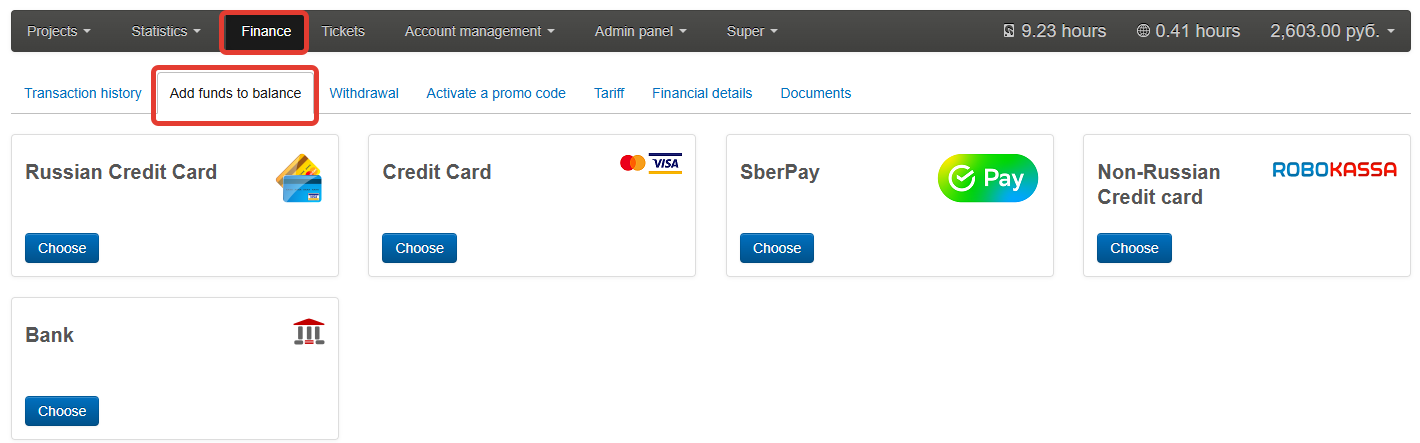
Step 1: Navigate to the Top Up Page
Log in to your Boomstream dashboard and go to Finance → Top up.
Step 2: Select a Payment Method
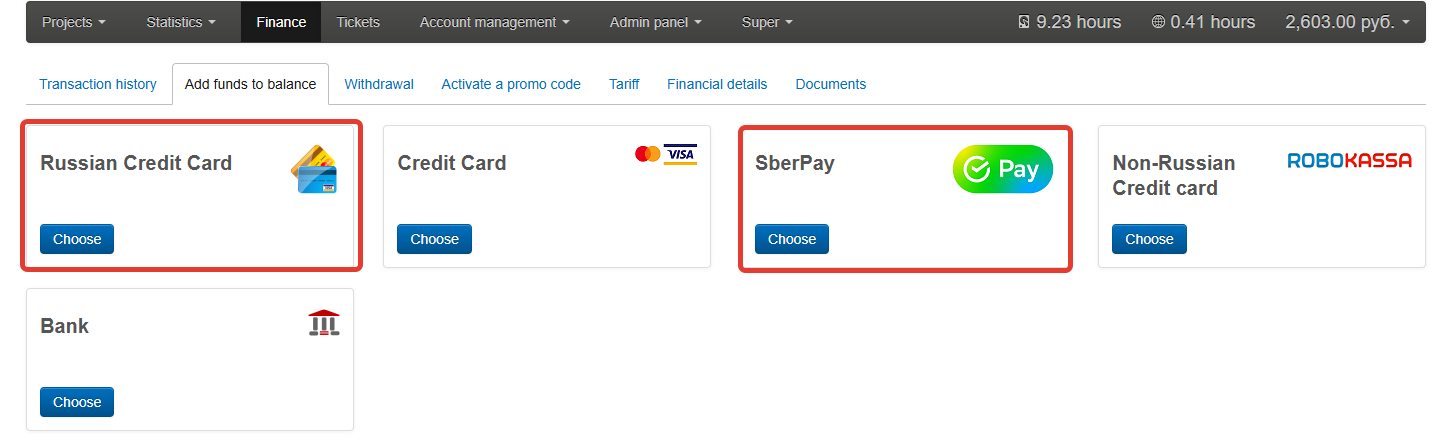
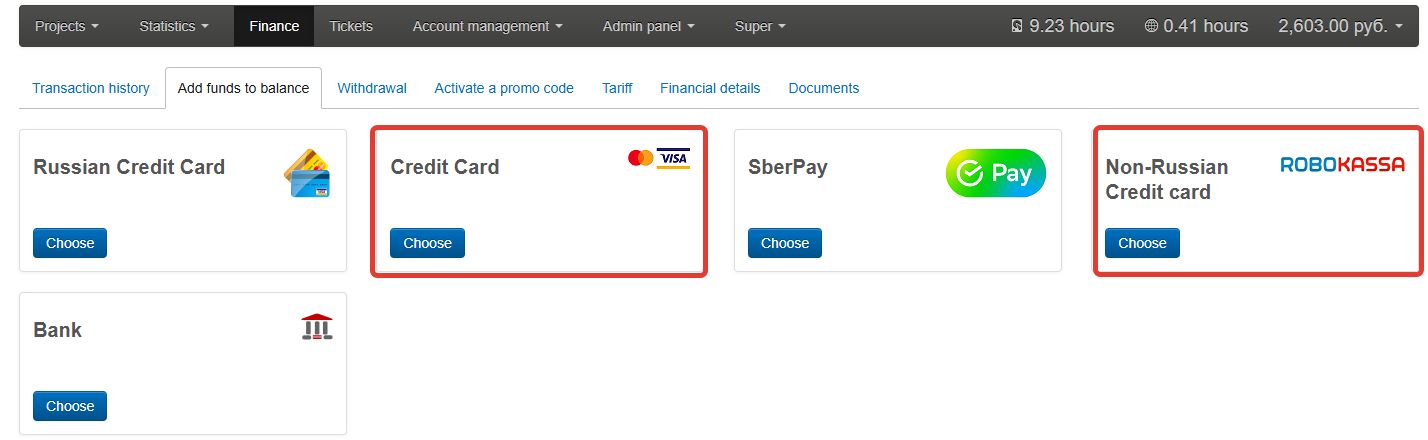
Choose the appropriate replenishment method based on your bank card:
-
For Russian Cards: Select Russian Bank Card or SberPay.
-
For Non-Russian Cards: Select Credit Card or Non-Russian Credit Card.
Step 3: Enter the Replenishment Amount
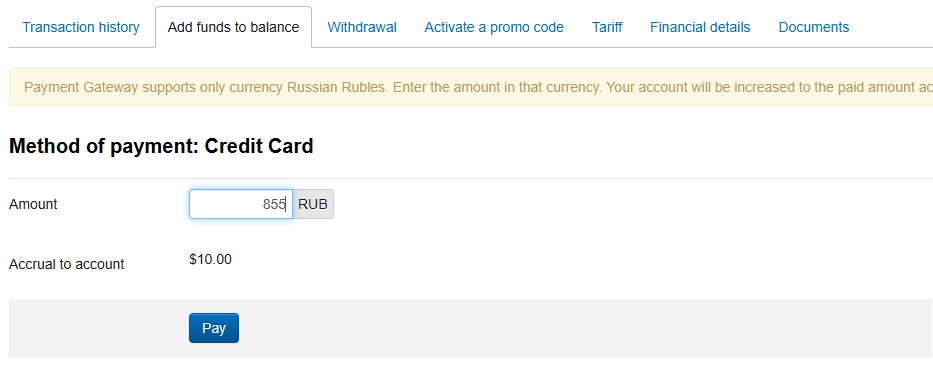
On the next page, enter the amount you wish to add to your balance.
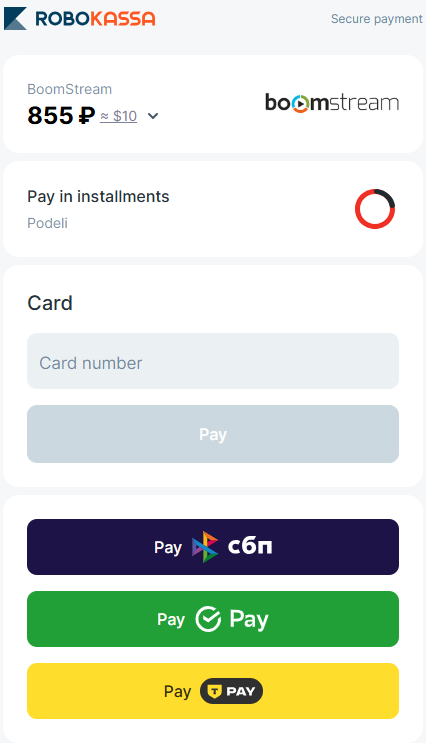
⚠️ Important: The minimum replenishment amount is 10 USD (or 855 RUB).
Once the amount is entered, click the Pay button.
Step 4: Complete the Payment
You will be redirected to a secure payment gateway. Enter your card details and complete any required verification steps (such as 3D Secure codes).
✅ Done!
Your Boomstream account balance has been successfully replenished and is ready to use.