
6 Ways to Publish and Embed Boomstream Video Content
Boomstream offers 6 flexible methods to publish and embed your video content, depending on your website's needs and sharing goals.
Getting Started: Opening the Publish Menu
To choose a publishing method, follow these initial steps:
- Navigate to the Videos section and click on the name of the desired media.
- Click the "Publish" button to open the preview and embedding window.
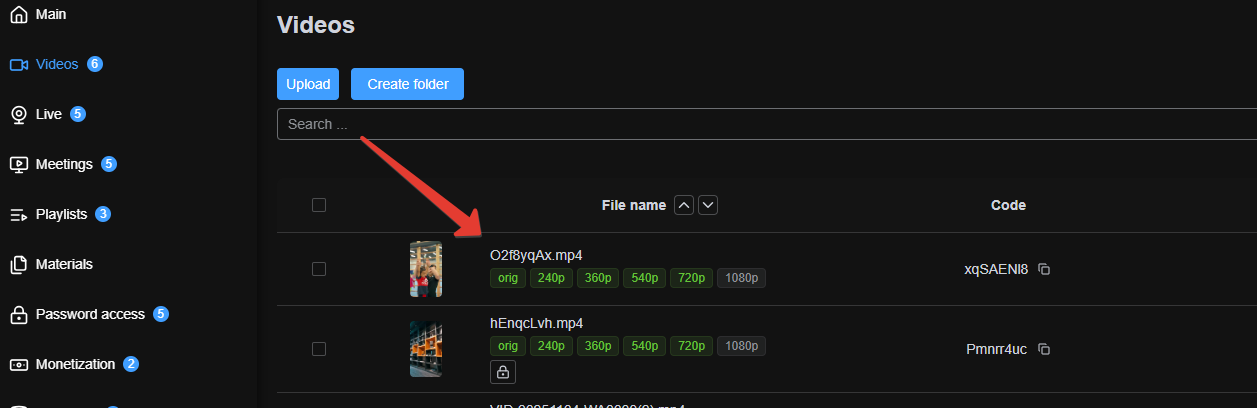
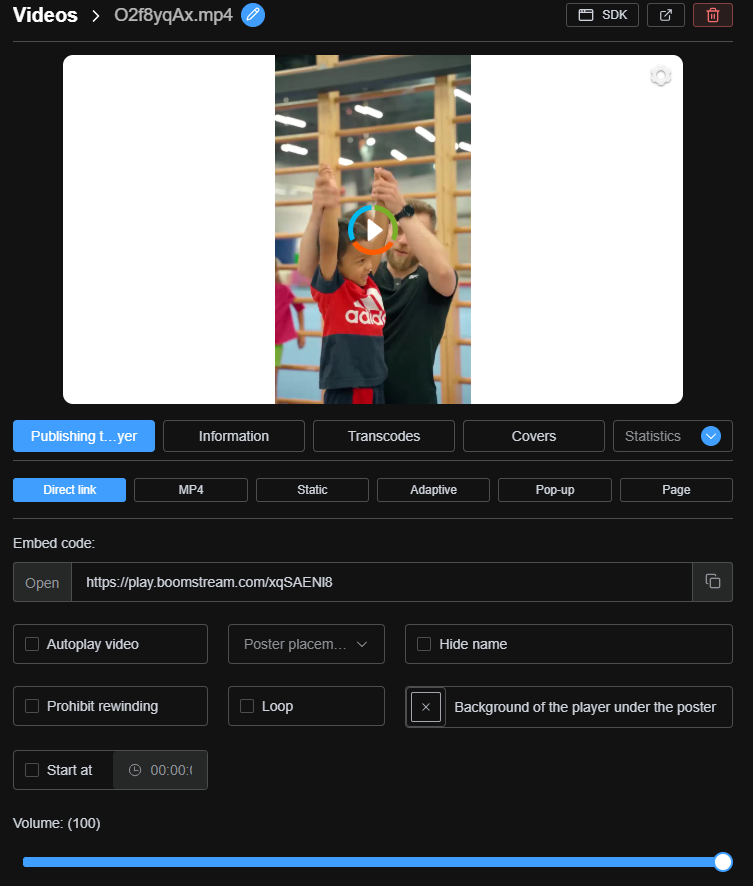
In the preview window, you can select the placement method that best suits your use case.

Overview of Publishing Methods
Here is a detailed breakdown of each embedding option:
-
Link
A direct URL to the Boomstream player. Ideal for quick sharing with viewers via email or messaging apps. -
Fixed Code
Aniframeembed code with fixed dimensions. Use this when you need the player to maintain a specific width and height on your webpage. -
Adaptive Code
A JavaScript embed code that automatically adjusts to different screen sizes (responsive design). Note: The player works inline; on iOS devices, the Boomstream player opens in full-screen mode instead of the native Apple system player. -
Popover
A JavaScript embed code that triggers the video player to open in a modal or popup window over your existing webpage. -
Page
Generates a standalone mini-landing page with the embedded player. You can also enable additional features on this page, such as a likes panel, social media sharing buttons, and a comments section. -
MP4 Link
Provides a direct.mp4URL, allowing you to use the video file within your own custom HTML5 player implementation on your website or landing page.
Quick Summary: Which Method to Choose?
| Publishing Method | Best Use Case |
|---|---|
| Link | Quick sharing via email or messengers |
| Fixed Code | Embedding with specific, unchangeable dimensions |
| Adaptive Code | Responsive embedding across all devices and screen sizes |
| Popover | Opening the player in a modal/popup window |
| Page | Creating a dedicated mini-site or landing page for the video |
| MP4 Link | Using your own custom HTML5 player implementation |