How to Download Original Video Files from Boomstream
If you store your media on the Boomstream platform and need the source files, you can easily download them directly from your dashboard. Follow this quick step-by-step guide.
Step 1: Select the Video
Navigate to the Videos tab in your dashboard and click on the specific video you want to download.

Step 2: Download the Original File
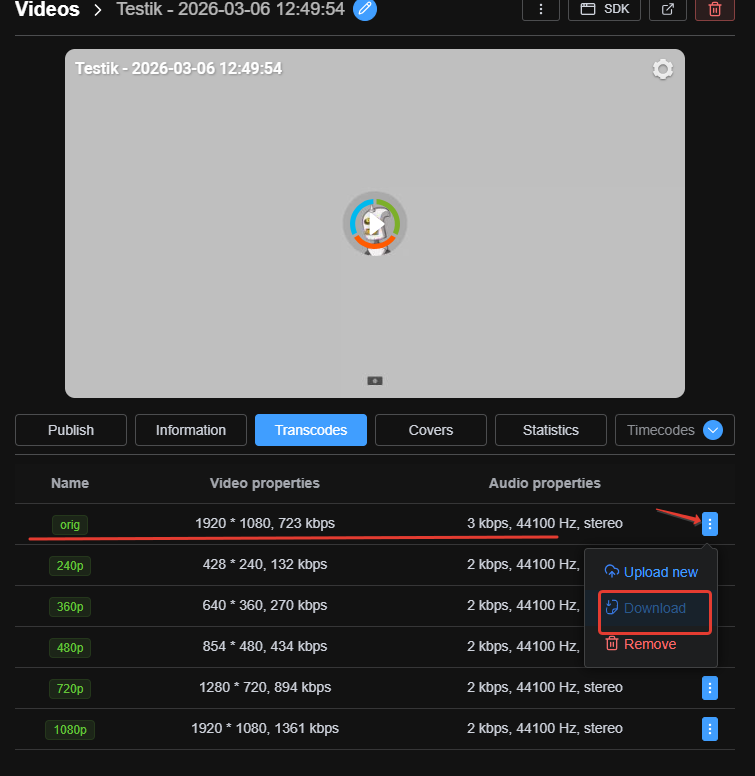
Inside the video card, open the Transcodes tab. Locate the first line labeled orig (which represents the original uploaded file). Click the blue action button on the right side and select Download from the dropdown menu.