
Boomstream Customer Personal Account: Centralized Access for Viewers
What is the Customer Personal Account?
We've launched a new feature – the Customer Personal Account (Buyer's Personal Account).
The problem it solves: A viewer purchases your content, but a month later can't find the video link. They contact support, wasting your time and creating frustration.
The solution: The Boomstream Customer Personal Account automatically solves this. All purchases and access rights are centralized in one convenient location for each viewer.
How to Enable the Customer Personal Account
For New Access Purchases
After creating an access:
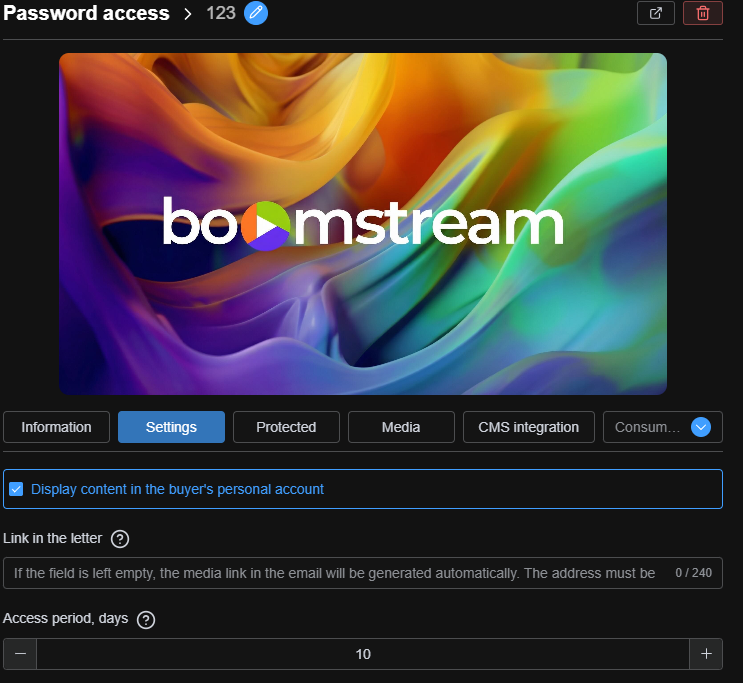
- Go to the Access Card
- Open the Settings tab
- Check the box: Display content in the buyer's personal account
- Apply changes
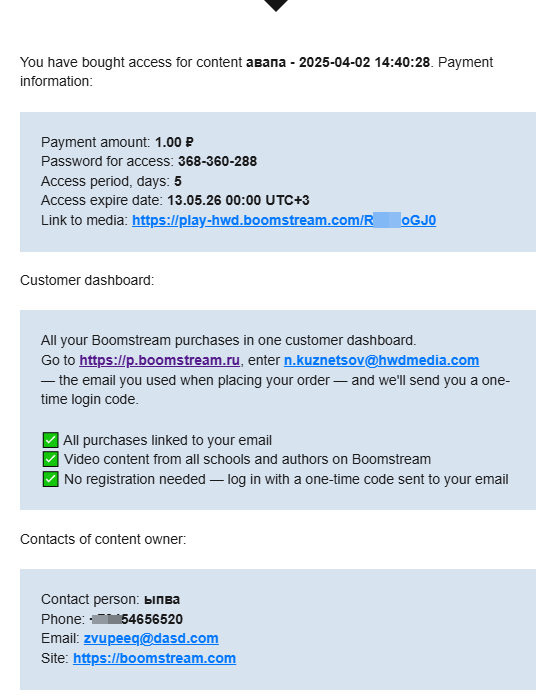
New buyers or added viewers will automatically receive an email template with a link to their personal account.
For Existing Viewers
To connect the Buyer's Personal Account for viewers who have already purchased access:
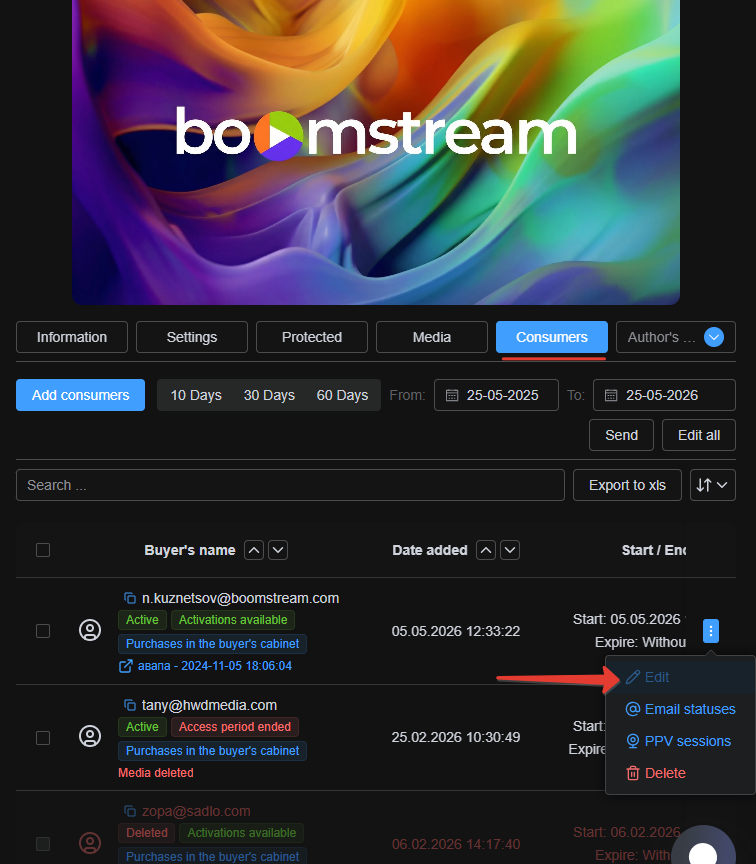
- Navigate to the relevant Access Entry
- Open the Consumers tab
- Select the desired consumer
- Click the three blue dots button on the right
- Select Edit from the dropdown menu
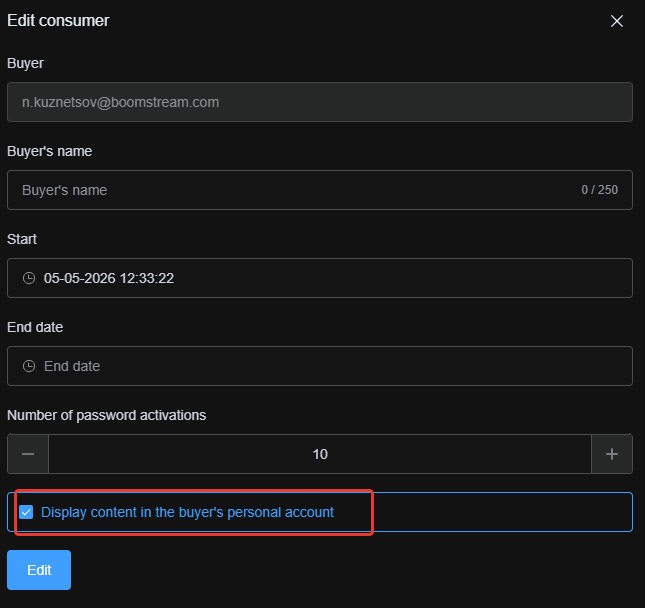
- In the window that opens, check: Display content in the buyer's personal account
Example viewer email notification:
How the Personal Account Works
The process is simple and automated:
- Purchase/Access: A viewer buys content or a student enters a password to watch via the Boomstream player
- Automatic Linking: The video is automatically linked to their email address
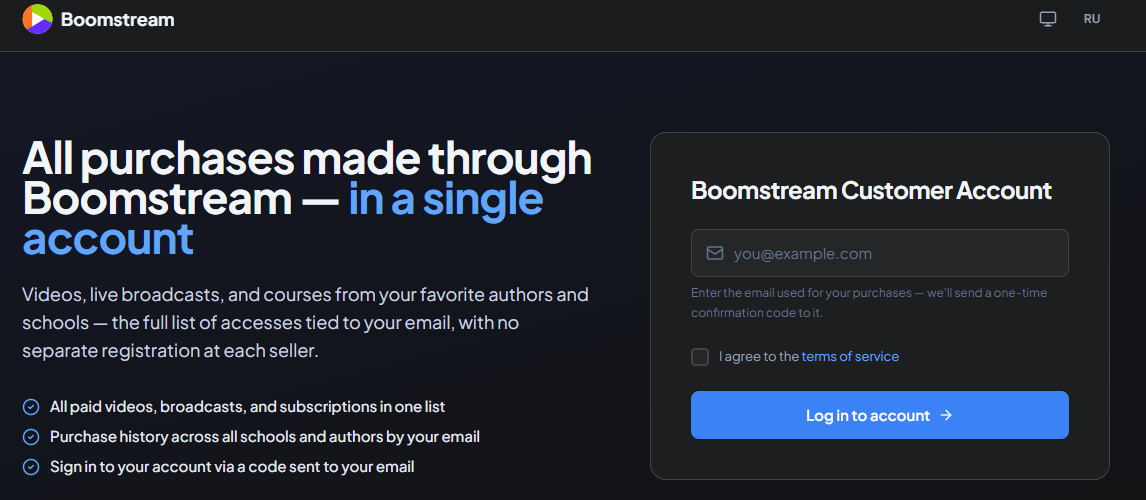
- Easy Access: At any time, viewers can visit p.boomstream.ru, enter their email → receive a verification code → access all your videos
Customer Personal Account Interface
Login Page
Viewers access their account through a simple login interface:
Access Dashboard
After logging in, viewers see a complete list of their accesses and purchases associated with their email:
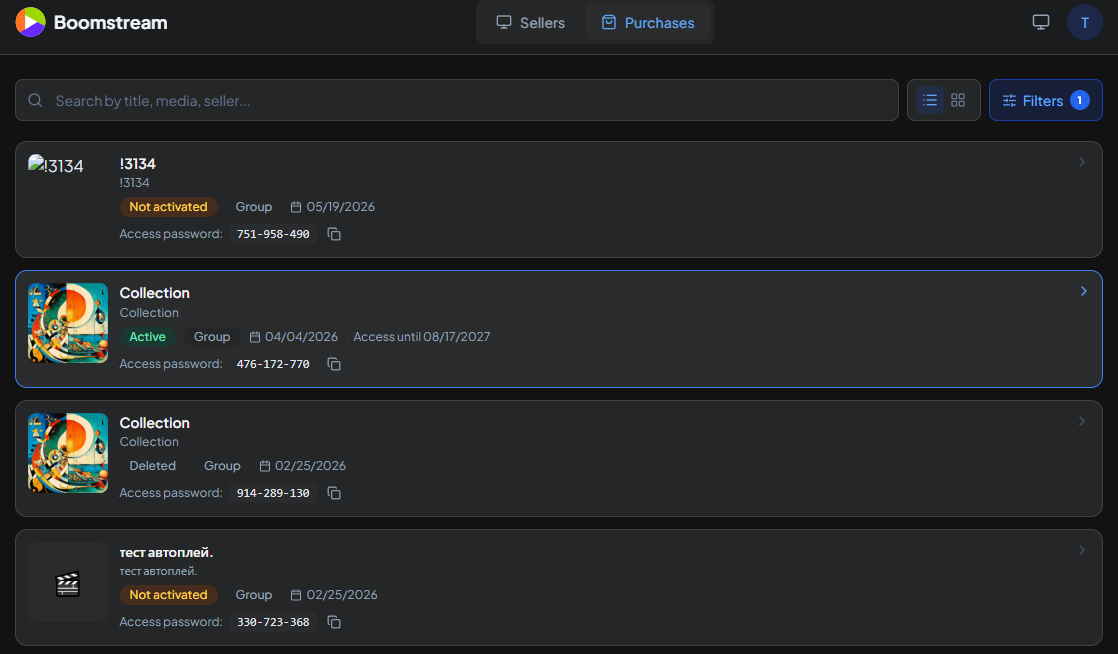
Key features:
- Filter by Author: Track accesses by specific content authors. Click on an author to see all their accesses in a side panel
- Advanced Search: Search by keywords or apply specific filters:
- Date range
- Type (paid/free)
- Access type (single or group)
- And more

Video Access Page
Clicking on an access from the list takes viewers to a page with all videos linked to that password. This is especially useful for Group-type access, such as when providing viewing access to a multi-lesson course.

Viewing options:
- Watch videos directly in the personal account
- Open videos in a new browser tab
Benefits Summary
✅ For Content Creators: Reduces support tickets and saves time
✅ For Viewers: One centralized location for all purchased content
✅ Automatic: No manual link management required
✅ User-Friendly: Simple email-based authentication
Start using the Customer Personal Account today to improve viewer experience and streamline your content delivery!