
How to Enforce Strong Passwords for Sub-Users in Boomstream
Account administrators can now enforce the "Strong Password" policy for all sub-user profiles to enhance platform security.
Why Enforce Strong Passwords?
Sub-accounts are typically used by employees or team members. Weak passwords create a significant security vulnerability for the entire project. This feature ensures that all passwords within your ecosystem meet high security standards, minimizing the risk of unauthorized access and data breaches.
Strong Password Requirements
When this setting is enabled, the platform mandates that all sub-user passwords meet the following strict criteria:
- Minimum length: 15 characters
- Uppercase letter: At least one (A-Z)
- Lowercase letter: At least one (a-z)
- Digit: At least one (0-9)
- Special character: At least one (e.g., ! @ # $ % & *)
These rules make passwords highly resilient to automated brute-force attacks.
Step-by-Step Setup Guide
1. Navigate to User Settings
The account owner or administrator must go to Account Management → Users.
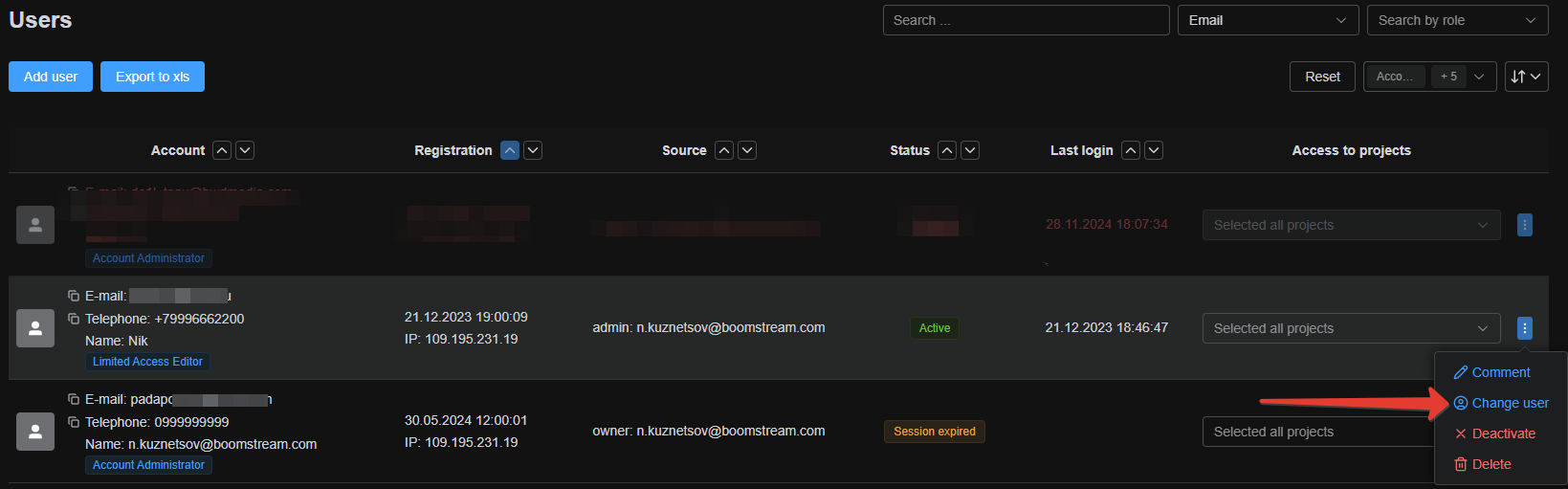
2. Enable the Complex Password Option
Click to edit a specific user and enable the "Use a complex password" option.
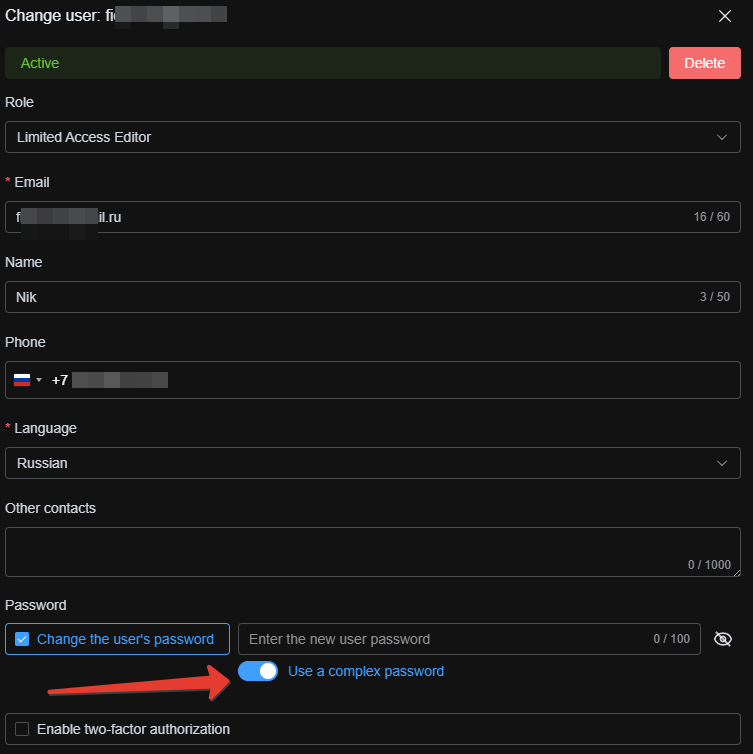
3. Password Validation
During the next login or password change, the system will automatically validate the new password against these criteria and reject any weak options.

Best Practice Recommendation
We highly recommend that administrators of projects with active teams enable this option in their Boomstream account settings. Protect the security of your partners' and clients' data with a single click.