
How to Enable Domain-Based Video Protection in Boomstream
Why Use Domain-Based Video Protection?
If you embed videos on your website or educational platform, unauthorized users can easily copy the player link or embed code and share it publicly. This compromises the value of your content.
Domain-based protection prevents video theft by restricting playback exclusively to your specified website(s). If a viewer copies the direct player link or tries to embed it on an unauthorized site, playback will be blocked.
How to Set Up Domain-Based Protection
1. Open Project Settings
In the Boomstream dashboard, select your project and click "Project settings" (the gear icon next to the project name).

2. Navigate to the Protection Tab
In the settings menu, select the "Protection" tab.
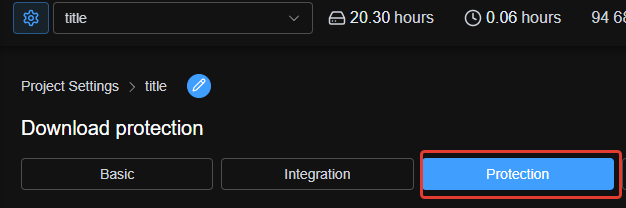
3. Specify Allowed Domains
Enter the domain names where media playback is permitted.
Important: Enter domains without https:// or http:// (e.g., yourdomain.com).
Note: Adding a root domain (e.g., yourdomain.com) automatically allows playback on all its subdomains. Violators will no longer be able to copy the player code or watch via a direct copied link.
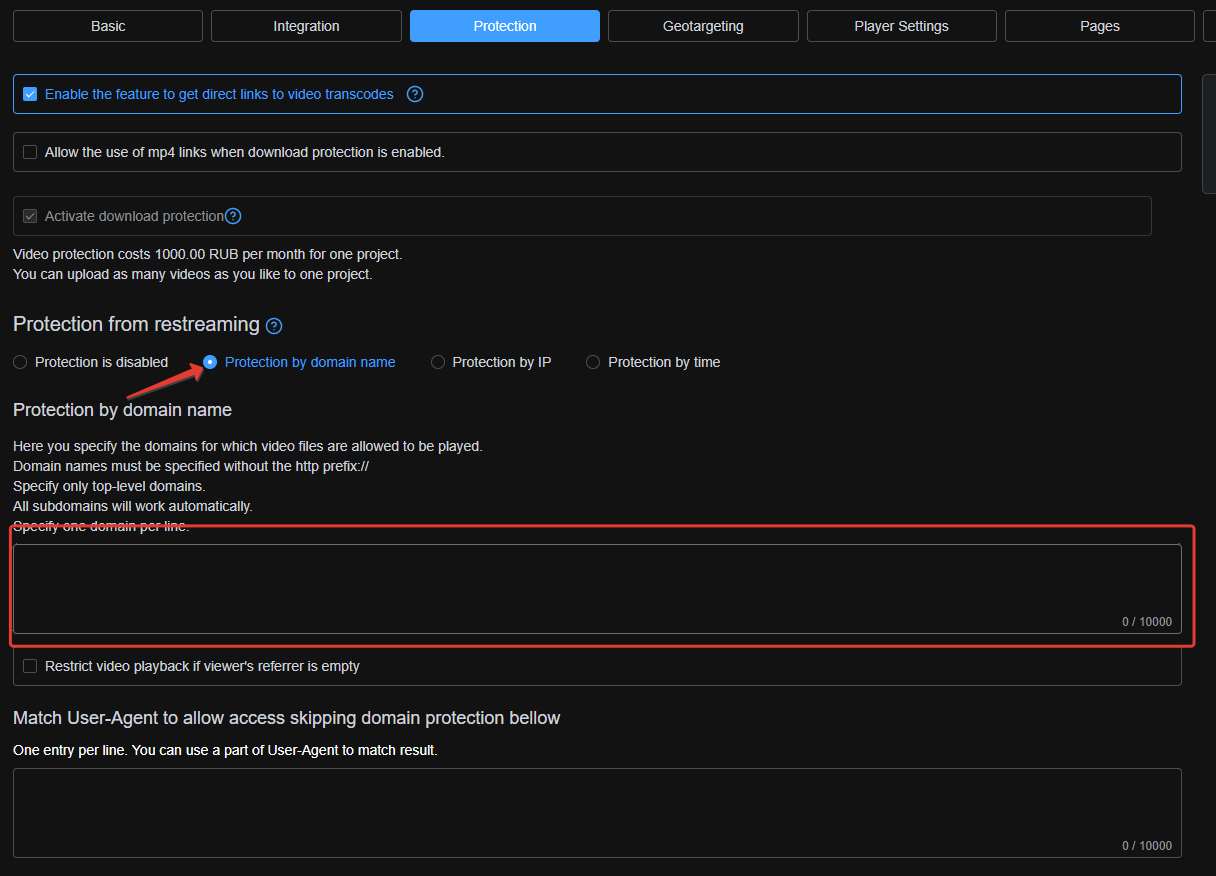
Advanced Option: Block Playback with Empty Referrer
Enabling the "Block playback when the viewer's referrer is empty" option adds an extra layer of security:
- Allowed: The browser sends a referrer header matching your allowed domain → Playback proceeds.
- Blocked: The referrer is missing or mismatched → Playback is denied with the message: "Access to the content is denied".
⚠️ Important Warning: Some native system players (e.g., the default iOS video player) may not send a referrer header. Enabling this option may prevent viewers on those specific devices from watching the content.
Quick Setup Checklist
| Step | Action |
|---|---|
| 1 | Go to "Project settings" (gear icon) |
| 2 | Open the "Protection" tab |
| 3 | Enter allowed domains (without https://) |
| 4 | (Optional) Enable "Block playback when referrer is empty" |
✅ Done!
Your videos are now securely protected from unauthorized embedding and direct link sharing on third-party resources.