
How to Restrict Video Access by Region Using Geotargeting in Boomstream
To restrict access to your content based on the viewer's location, you can use the Geotargeting feature. This allows you to specify exactly which regions or countries are permitted to view your media.
Step 1: Navigate to Geotargeting Settings
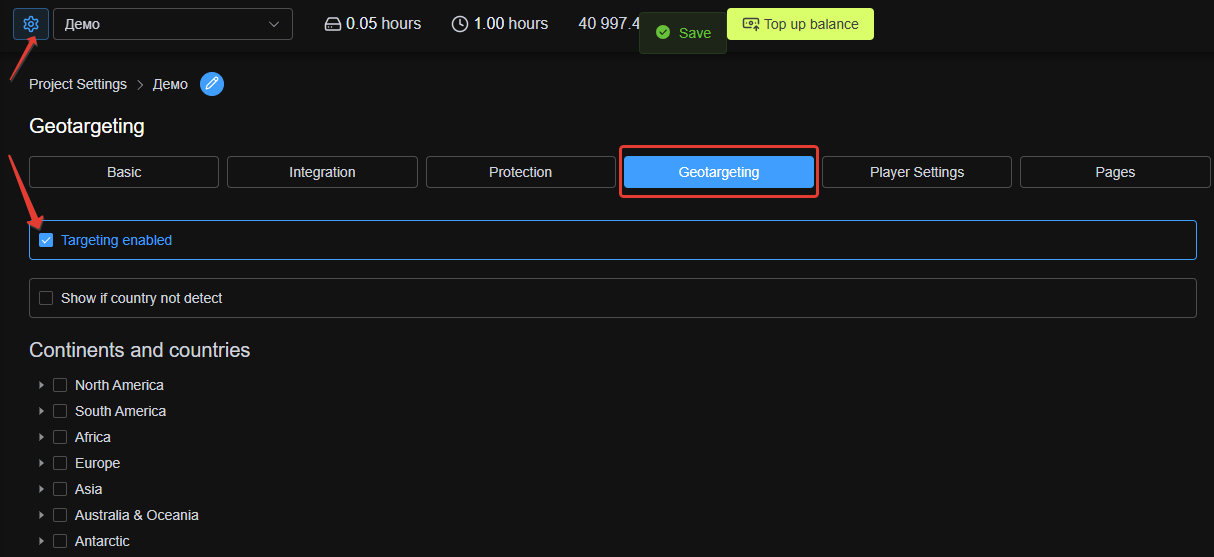
Go to your Boomstream dashboard, open Project Settings, and select the Geotargeting tab.
Step 2: Enable and Configure Geotargeting
On this page, you can define the allowed regions for your content:
- Check the "Targeting enable" checkbox to activate the feature.
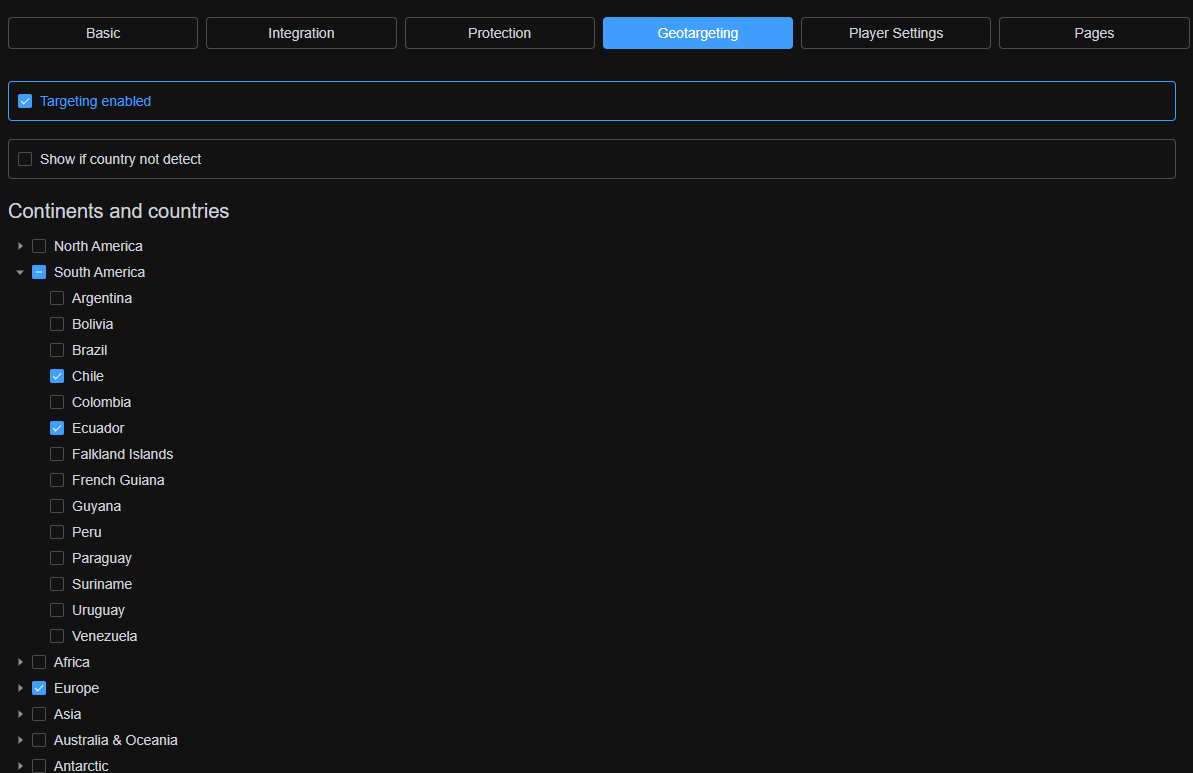
- Select your desired regions or countries individually from the list provided.
How Geotargeting Works
The viewer's location is automatically determined by their IP address.
? Recommendation: If a viewer's IP address is hidden or spoofed due to applications installed on their device, we recommend activating the "Show if country not detect" option. This ensures that users with undetectable locations are not incorrectly blocked from accessing your content.
✅ Done!
Your content is now securely restricted and will only be accessible to viewers from your specifically selected regions and/or countries.